Know before you leave the house
Built for the stop and the doorstep: quick to open, honest about what it knows, and free.
Every coach, live
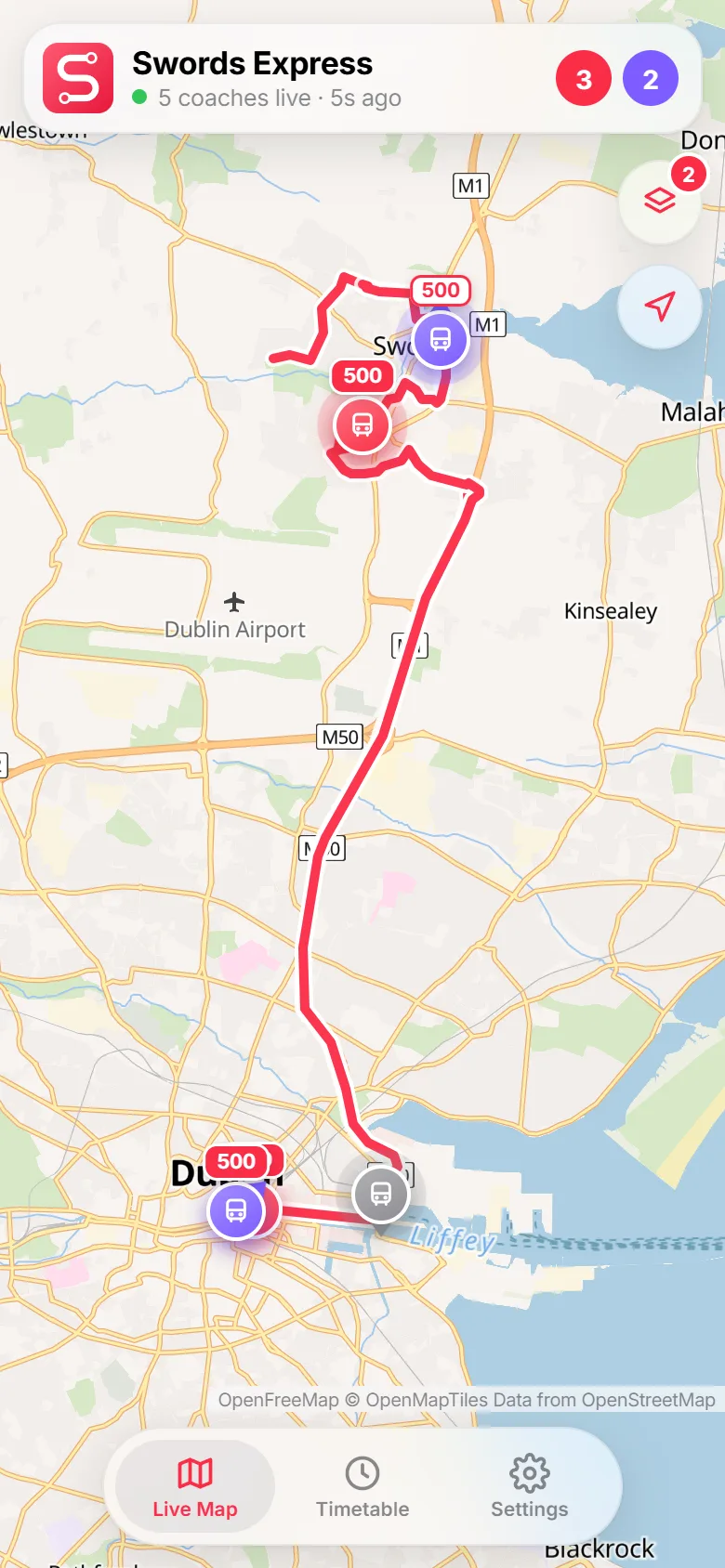
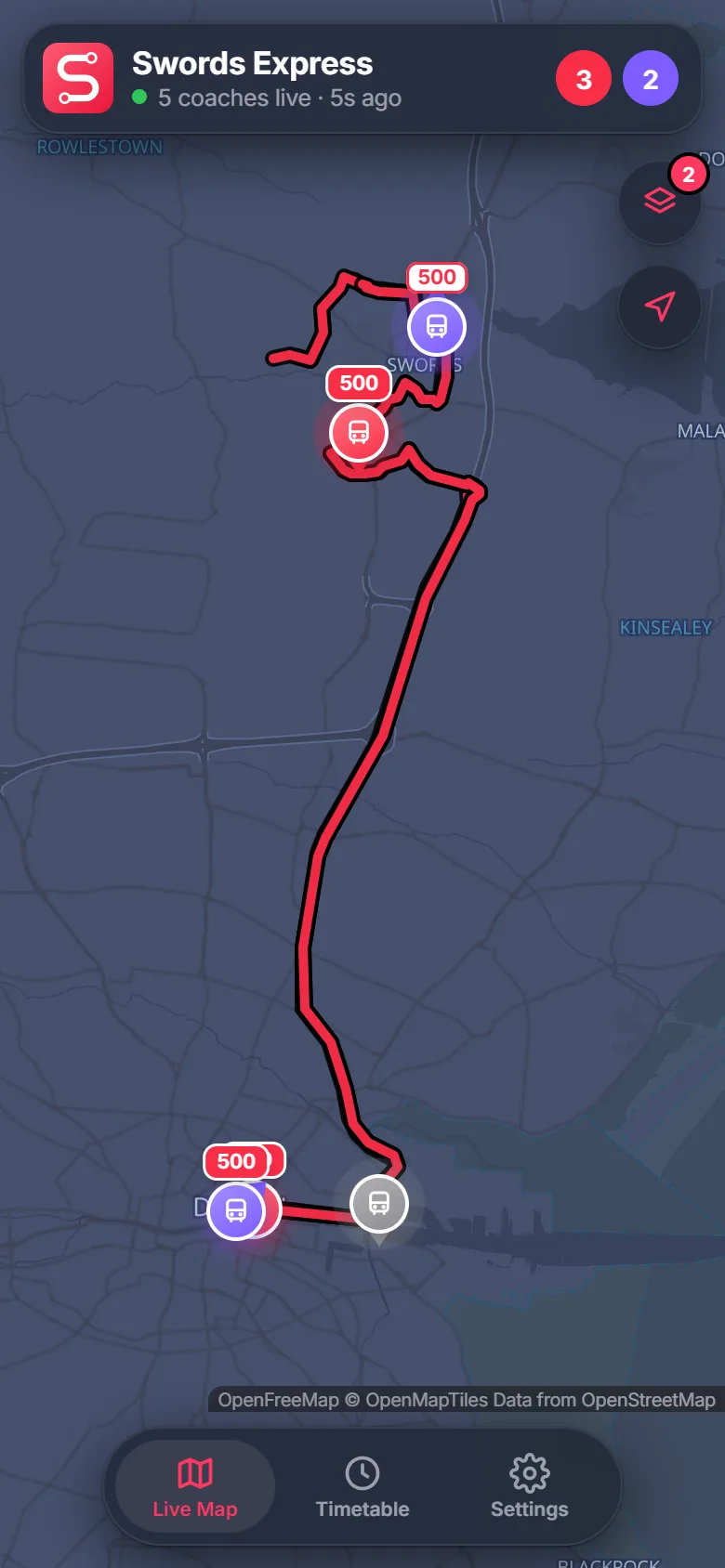
All the coaches on the road on one map, refreshed every few seconds, on a clear map in light or dark.
Running late?
Each coach is matched to the timetable, so you see its route, its next stop and roughly how early or late it is.
Your stop, first
A live countdown to the next departure from your stop. Star it once, or tap Nearest to find the closest one.
Coach full?
Riders can flag a full coach in one tap, so everyone else waiting down the line knows before it arrives.
Full timetables
Every route, both directions, for any date: weekends, bank holidays and the late-night 500N included.
Works offline
Timetables are built in, and update themselves whenever a new schedule is published.
Five screens, the whole journey
Tap a stop along the line to explore. Screens follow your light or dark setting.
The whole fleet at a glance
- Every coach on the road, refreshed every few seconds
- Route tags on each coach, so you know which is yours
- Shows the routes running now, or pick the ones you use
- A colourful map by day and a calm one at night
Where it is, and when it'll get to you
- Tap a coach for its route, direction and destination
- Roughly how early or late it's running
- The next stop it's heading for, with an estimated time
- Report it full so others down the line know

Next coach, counted down
- A live countdown to the next departure from your stop
- From Swords or from the city, in one tap
- Filter by route or date from the buttons up top
- Star your usual stop for each direction

Every stop, every time
- Tap any departure to see the whole journey
- Scheduled time at every stop along the way
- When the coach is live, see which stop it's at

The full timetable, properly
- Every journey of the day in one scrollable grid
- Today, tomorrow or any date you pick
- Bank holidays and Sunday services handled for you

From the estates to the quays
Swords Village, River Valley, Boroimhe, Holywell, Airside and the Airport roundabout, to East Wall, the IFSC, Eden Quay and Merrion Square.
Swords Express routes
| Route | To the city | From the city |
|---|---|---|
| 500 | Berwick Walk→Eden Quay | Eden Quay→Ormond Avenue |
| 500X | Berwick Walk→Eden Quay | Eden Quay→Ormond Avenue |
| 501 | Swords Pavilions→Eden Quay | Eden Quay→Seatown |
| 502 | Highfield Grn→Eden Quay | – |
| 503 | Berwick Walk→Merrion Sq South | Merrion Sq South→Ormond Avenue |
| 505 | Berwick Walk→Eden Quay | Eden Quay→Swords Pavilions |
| 505X | – | Eden Quay→Swords Pavilions |
| 506 | – | Eden Quay→Ormond Avenue |
| 506X | Miller's Glen→Eden Quay | – |
| 507 | Berwick Walk→Eden Quay | – |
500N Late-night service from Eden Quay to Ormond Avenue. Routes and stops come from the NTA timetable.
Questions?
Found a bug or have an idea? Get in touch, or read exactly how your data is handled.
Is this the official Swords Express app?
No. It's an independent app, not made, endorsed or supported by Swords Express, Eirebus or the National Transport Authority. For tickets, fares, service changes and complaints, please contact Swords Express directly.
Why is a coach grey, or missing from the map?
Live positions don't say which route a coach is on, so the app works it out by matching each coach to the timetable. A grey coach is one it couldn't match yet, often because it's parked or heading to the start of a run. Coaches that haven't reported for 15 minutes are hidden.
How accurate is "on time" or "late"?
It's an estimate from the coach's position against its scheduled journey, so treat it as a guide. Traffic on the M1 and in town can change things quickly.
How do "coach full" reports work?
Anyone on board can tap Report coach full on the coach's card. Everyone sees it on that coach for 10 minutes, and anyone can clear it with Not full any more. Reports are anonymous and deleted after 3 hours.
Where does the data come from?
Timetables come from the National Transport Authority's open data (CC BY 4.0). Live positions come from the operator's public live map. Map data is © OpenStreetMap contributors, via OpenFreeMap.
Is it free?
Yes. A single small banner keeps it free, and a one-off "Remove ads" purchase in Settings takes it away for good. There's no account and no subscription.